9 September 2026 · 5 min read
QR Code Business Cards: How They Work
Learn how QR code business cards open digital contact details, what to link them to and how to make the code easy to scan.
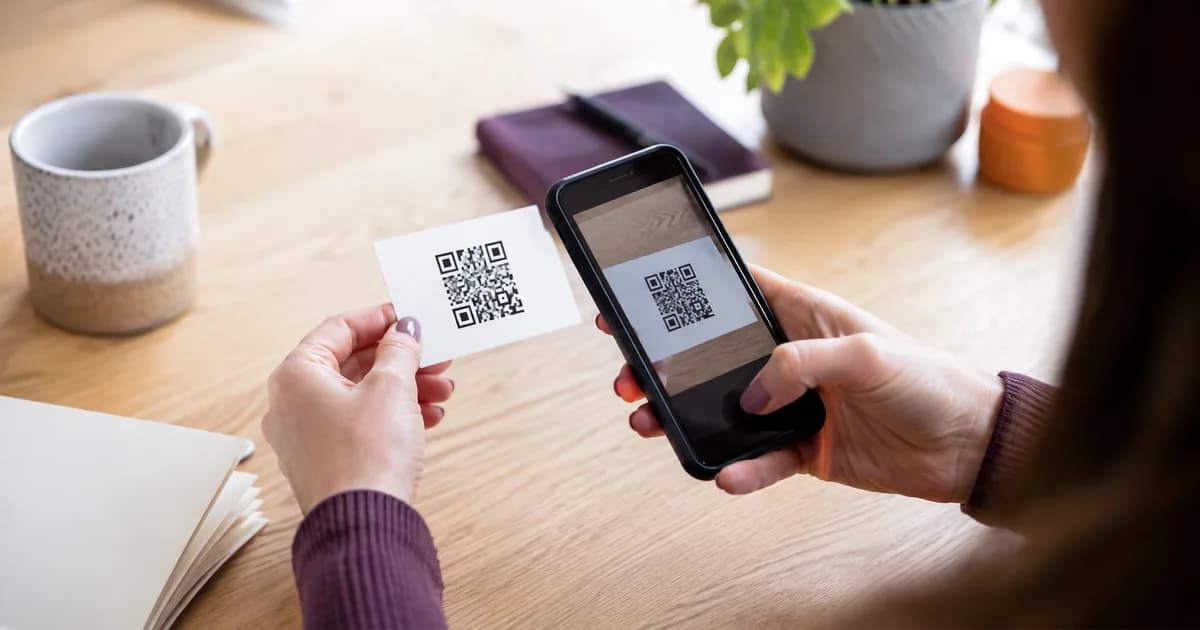
A QR code business card uses a scannable square code to open your contact details or business page on a phone.
The person points their camera at the code, taps the link that appears and reaches the page you chose. They do not have to type a web address or manually copy your phone number from the card.
It can be a printed paper card, a plastic card, a sign or a small keyring. The QR code itself works the same way.
What should the QR code open?
The code can point directly to one action, such as a contact file, website or booking page.
It can also open a digital business card that gives the visitor a few useful choices. That may include saving your contact, calling, emailing, visiting your website or leaving a Google review.
A digital page is often the better option when the same card is used in different situations. You can put the most important action first without losing the other details.
Keep the page focused. A QR scan should save time, not open a crowded menu that makes the visitor work out what matters.
Static and dynamic QR codes
A static QR code contains the final destination.
If it points directly to example.com/old-page, that address remains encoded in the printed pattern. You can redirect the old page on your website, but you cannot change the pattern on a card that has already been printed.
A dynamic QR code usually contains a short managed address. The provider redirects that address to a destination you can change.
That makes future editing easier, but check the terms. Some QR providers disable editing or redirects when a subscription ends.
You can get similar flexibility by pointing the code to a page on a web address you control. Update the page behind the address and the printed code keeps working.
Why short links help
QR codes turn data into a grid of dark and light modules.
Longer or more complicated addresses can create a denser pattern. Dense codes can be harder to print clearly at small sizes, especially on textured materials.
A short HTTPS address keeps the physical code simpler. It is also easier to print as a readable backup under the code.
Do not use a public shortening service you do not control for a permanent business card. If the provider changes its service or flags the link, your printed cards may become useless.
Size, contrast and empty space
The QR code needs enough physical size for a phone camera to see each part clearly.
There is no single perfect measurement for every card because printing, distance, material and camera quality vary. Test at the final size and on the final material.
Use a dark code on a light background or another pairing with strong contrast. Avoid placing the code over a photo, texture or colour gradient.
Leave a clear border around it. This empty area helps the scanner recognise where the code begins and ends.
Rounded dots, logos and unusual colours can look attractive, but every decoration removes some scanning margin. Keep a plain tested version when reliability matters.
Add a useful instruction
Most people recognise a QR code, but a short label still helps.
"Scan to save my details" explains both the action and the benefit. "Scan me" only explains the mechanics.
Other clear labels include:
- Scan to request a quote
- Scan to book
- Scan to view our menu
- Scan to leave a review
- Scan to open my contact page
Match the words to the page that actually opens.
How someone scans it
On most current phones, the normal camera can recognise a QR code.
The person opens the camera, points it at the whole code and waits for a link banner or notification. They tap that link to continue.
Good lighting helps. So does holding the card still and keeping the full border visible in the camera view.
If the code is displayed on the same phone that needs to scan it, the person may need to use a screenshot or built-in image recognition. That is one reason a physical card or tag is convenient during an in-person conversation.
QR code or NFC?
QR is visible and familiar. It works through the camera and does not depend on an NFC chip.
NFC can be quicker because the person holds their phone close and receives a notification. It also gives the physical item a clean face without needing the code to be front and centre.
The two methods work well together. Put NFC inside the product and a QR code on the reverse. If the tap is unfamiliar or unavailable, the person can scan.
Both should open the same digital page.
Test more than the code
A successful scan is only the first check.
Open every button on the landing page. Confirm the phone number, email and booking links. Check the page over mobile data as well as office Wi-Fi.
Try the physical card in bright daylight, ordinary indoor lighting and at a comfortable hand-held distance. Ask someone who did not design it to scan without coaching.
If they pause, watch where the confusion occurs. The code may be too small, the label may be vague or the page may not show an obvious next step.
Keep a readable backup
Print a short web address near the QR code when space allows.
It helps if the camera is damaged, the code is scratched or the person wants to type the address on another device.
That small backup also makes the destination feel less mysterious. People can see the domain before scanning.
A good QR code business card is simple. Clear code, clear instruction, useful mobile page. Everything else is decoration.