5 September 2026 · 5 min read
How NFC Business Cards Work on iPhone and Android
A plain-English guide to tapping an NFC business card with iPhone or Android, including phone placement, compatibility and QR backup.
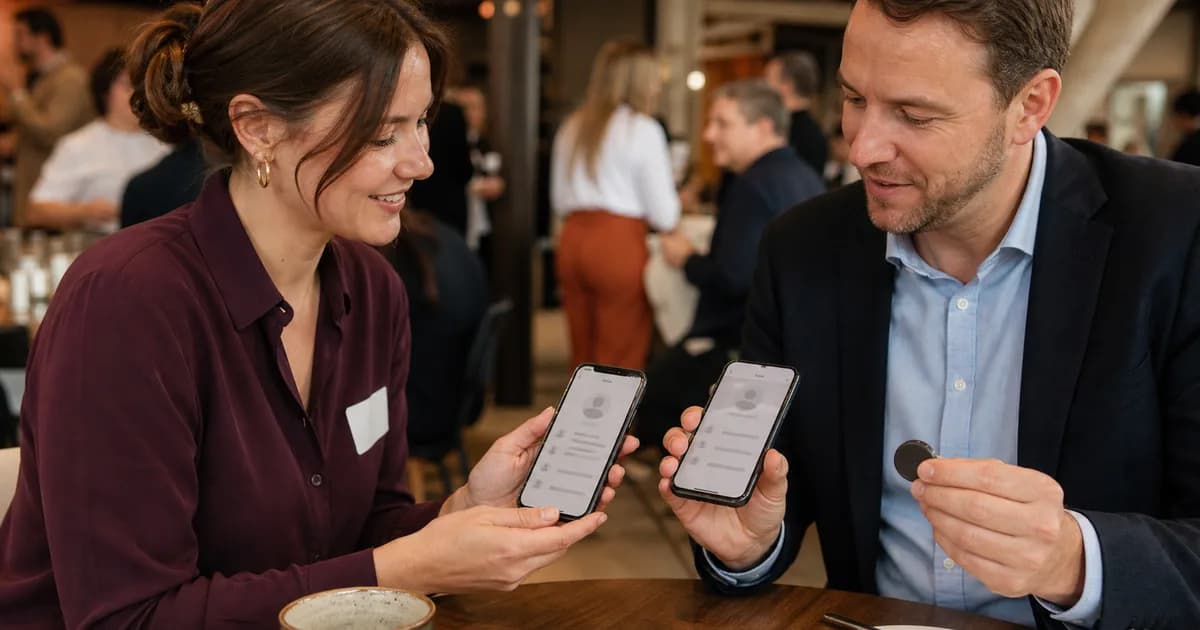
An NFC business card shares a web link when someone holds a compatible phone close to it.
That link usually opens a digital business card with your phone number, email, website and other useful actions. The other person does not have to type your details or install the same app.
The physical item might look like a bank card, sticker, phone insert or keyring. The basic idea is the same in each format.
What is stored on the NFC chip?
Most NFC business cards store a small NDEF message containing a website address.
NDEF is a standard format that phones understand. When the phone reads the address, it can show a notification and offer to open the page in a browser.
The chip is not carrying your entire website, photo gallery and contact database. It is pointing the phone to an online page where those details live.
That is useful because the online page can be updated. If you change your mobile number or booking system, you update the page rather than replace the physical card.
How to tap an NFC business card with an iPhone
On iPhone XS and later, compatible NFC website tags can be read in the background while the phone is in use. Apple explains that the phone displays a notification after it reads the tag, then opens the website after the user taps that notification.
Hold the NFC item near the top edge of the iPhone. Keep it there briefly rather than tapping and pulling away instantly.
If nothing happens, check that the screen is awake and the phone has been unlocked since it was restarted. Apple notes that background reading can be unavailable while the camera, Wallet or Apple Pay is being used, and in a few other device states.
There is no need to download an NFC reader app for an ordinary compatible web link on these models.
Apple's current behaviour is documented in Adding Support for Background Tag Reading.
How to tap one with Android
Android phone designs vary, so the NFC reading area is not always in the same place.
Start around the upper centre of the back of the phone. Move it slowly across the tag if the first position does not trigger a response.
The phone usually needs to be unlocked and NFC must be enabled in settings. Some lower-cost Android models do not include NFC hardware, so it is better to say "most modern NFC-enabled Android phones" than promise every Android device will work.
Google describes NFC as a short-range wireless technology that typically works within four centimetres or less. Its Android NFC overview also explains how phones read passive tags and standard NDEF data.
Does the other person need an app?
Not when the tag contains a normal website link that the phone can understand.
The phone handles the NFC reading, and the digital business card opens in its usual browser. The person may choose to save your contact details, call you or visit another link from there.
Products that force both people into a proprietary app add friction. A browser-based page is easier to share with someone you have just met because it uses tools already on their phone.
Why QR backup still matters
NFC support is common, but it is not universal.
The customer may have NFC turned off, use a phone without the hardware or place their phone against the wrong part of the tag. A thick case or metal accessory can also interfere.
A printed QR code gives them a second path. Open the camera, scan the code and tap the link.
An NFC business card with QR backup means you do not have to troubleshoot a stranger's phone during a quick conversation. If the tap does not work immediately, scan it instead.
Both methods should lead to the same page. There is no reason to maintain separate destinations.
What can the digital page include?
Start with the action you want a new contact to take.
For a consultant, that might be saving a phone number or booking a call. A trades business may prefer a quote form. A retailer might lead with the online shop.
Useful options include:
- Save contact details
- Call, text or email
- Open the business website
- Request a quote or make a booking
- Visit a Google review form
- Open selected social profiles
- Get directions
Do not add every account you have ever created. A short page with clear choices is easier to use than a directory of forgotten links.
Can NFC take information from the phone?
A basic NFC business card tap does not silently copy someone's contacts, payment details or photos.
It shares the link stored on the chip. The phone shows that link to the user, and the user chooses whether to open it.
Once a website opens, it behaves like any other website. The person controls whether they make a call, submit a form, download a contact card or take another action.
People should still look at unfamiliar links before opening them, just as they would with a QR code or link in a message.
How to make tapping feel natural
Do not push the card towards someone's phone without explaining what is happening.
Say what they will get: "Tap this near the top of your phone and my contact page will open."
Hold the NFC item still and let the other person move their phone towards it. This keeps the interaction clear and avoids touching their device.
Test the exact item with an iPhone and an Android phone before relying on it at an event. Check the NFC placement, the QR code and every button on the page.
The simple version
The physical NFC item stores a web address. A compatible phone reads it from close range and offers to open your digital business card.
That is all the technology needs to do.
The real value comes from having current contact details, a clear next action and a format you remember to carry.